사용자:RenkoMerry/A Dance of Fire and Ice
최근 수정 시각: (8개월 전)




이 문서에는 나무위키의 A Dance of Fire and Ice 문서의 r2143 판에서 가져온 내용이 포함되어 있습니다. (이전 역사)


공식 콘텐츠
[ DLC ]
A Dance of Fire and Ice | ||
  | ||
| Abbreviation(s) | ||
ADOFAI | ||
| Developer | ||
| Genre | ||
Rhythm | ||
| Release dates | ||
October 4, 2014(12 years, D+4403) (Demo) January 25, 2019(7 years, D+2829) (Official Release) 2025(Upcoming) (Nintendo Switch) | ||
| Engine | ||
Unity | ||
| Price | ||
$ 5.99 USD (Steam) $ 3.99 USD or higher (itch.io) $ 1.99 USD (Google Play) $ 1.99 USD (App Store) | ||
| Links | ||
Store pages | ||
Miscellaneous | ||



목차
1. Overview2. System requirements3. History
3.1. Early history3.2. Official Release3.3. Addition of the Level Editor3.4. Emergence of the Xtra Worlds3.5. Steam Workshop Support Begins
4. Gameplay5. Official content5.1. Worlds
6. Version history7. Secret codes8. Mobile version9. Community content10. Events11. People12. Communities13. Glossary5.1.1. Speed Trials
5.2. Achievements5.3. Level Editor5.4. DLCs5.5. Featured Levels13.1. Slang
14. Reception15. Controversies16. Trivia17. Related articles1. Overview [편집]
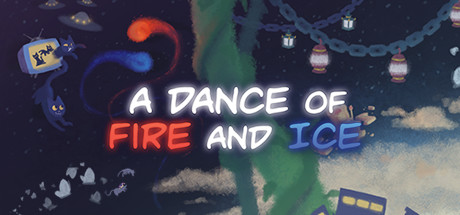
A Dance of Fire and Ice is a rhythm game developed by 7th Beat Games.
2. System requirements [편집]
Minimum System Requirements | |
OS | Windows(XP, Vista, 7, 8, 10), macOS(10.11 or higher) |
Graphics | Intel Graphics 4000 |
Memory | 2 GB |
Storage | 1 GB |
The minimum requirements are on the low side, but due to the prevalence of user-made custom levels, it is recommended to have higher specifications to reduce lag from flashy screen effects.
3. History [편집]
3.1. Early history [편집]
A Dance of Fire and Ice was created by Hafiz Azman (fizzd), a developer for 7th Beat Games. It was created as a submission for Ludum Dare 30, a game development contest held on August 2014. The theme for the competition was Conneceted Worlds.
A Dance of Fire and Ice - Dare 2015 Trailer |
3.2. Official Release [편집]
A Dance of Fire and Ice Launch Trailer |
On January 1, 2019, the full version of the game was revealed on Steam and itch.io. Four new worlds[3] were added in collaboration with composer Jade Kim, and a few levels were rebalanced. The design of the game was also overhauled with artwork by Kyle Labriola, replacing the equalizer background used in the demo.
3.3. Addition of the Level Editor [편집]
In the first release version of the game, the only available levels were the official levels. However, user Morphious86 developed an unofficial level editor, which was used widely in the community. Consequently, 7th Beat Games recruited Morphious86, and added an official in-game level editor in Version 1.1.3 of the game.
Afterwards, the level editor saw new features being added such as background options, camera movement, filter options, track movement and decorations, while Worlds 7, 8, 9, 10 and 11 were being added to the base game.
Afterwards, the level editor saw new features being added such as background options, camera movement, filter options, track movement and decorations, while Worlds 7, 8, 9, 10 and 11 were being added to the base game.
3.4. Emergence of the Xtra Worlds [편집]
3.5. Steam Workshop Support Begins [편집]
Steam Workshop support was added to the game.
Starting from this version, users could upload custom levels made through the level editor onto the Steam Workshop, and enjoy other users' levels in-game by subscribing to them.
Starting from this version, users could upload custom levels made through the level editor onto the Steam Workshop, and enjoy other users' levels in-game by subscribing to them.
4. Gameplay [편집]
4.1. Controls [편집]
Upon entering the game, a fire planet and an ice planet can be seen orbiting in the main lobby. When the planet currently in-orbit reaches a tile, pressing any key[5] causes the orbiting planet to land on the tile, and the other planet starts orbiting. This is how the planets move on the tiles, synced to the beat.
Specifically, as soon as the planet first enters a tile, pressing a key causes the planet to move to that tile. In the lobby, pressing a key when the planet isn't overlapping any tile causes nothing to happen, and the planets stay in place, but during gameplay, this results in a 'Early!!' or 'Late!!' judgment. See the section below for more details on judgments. Pressing when the planet overlaps the tile more precisely results in better judgments.
Specifically, as soon as the planet first enters a tile, pressing a key causes the planet to move to that tile. In the lobby, pressing a key when the planet isn't overlapping any tile causes nothing to happen, and the planets stay in place, but during gameplay, this results in a 'Early!!' or 'Late!!' judgment. See the section below for more details on judgments. Pressing when the planet overlaps the tile more precisely results in better judgments.
4.2. Judgments [편집]
ㅋ |
Perfect!
LPerfect!
EPerfect!
Late!
Early!
Late!!
Early!!
Multipress!!
Miss...
Overload...
Descriptions for each judgments and equations based on BPM
Accuracy Calculation Methods
LPerfect!
EPerfect!
Late!
Early!
Late!!
Early!!
Multipress!!
Miss...
Overload...
Descriptions for each judgments and equations based on BPM
Accuracy Calculation Methods
4.2.1. X-Accuracy [편집]
Accuracy calculated by taking the accuracy when all tiles are pressed with Perfect! judgment as 100%.
Calculation formula
Calculation formula
4.2.2. No Fail Mode [편집]
No Fail Mode | |
  |
No Fail Mode is a feature that was added alongside the Neo Cosmos update.
It can be toggled by pressing N in the Workshop menu, and by pressing the white armor symbol (or Alt+N) to the left of the autoplay icon in the level editor.
However, due to the long-standing consensus that completing a level meant hitting all tiles without missing once, completing a level using No Fail Mode usually is not considered a clear among community members[6].
4.3. Settings [편집]
Describe the things seen in the Setttings screen, assorted by item.
4.4. Calibration [편집]

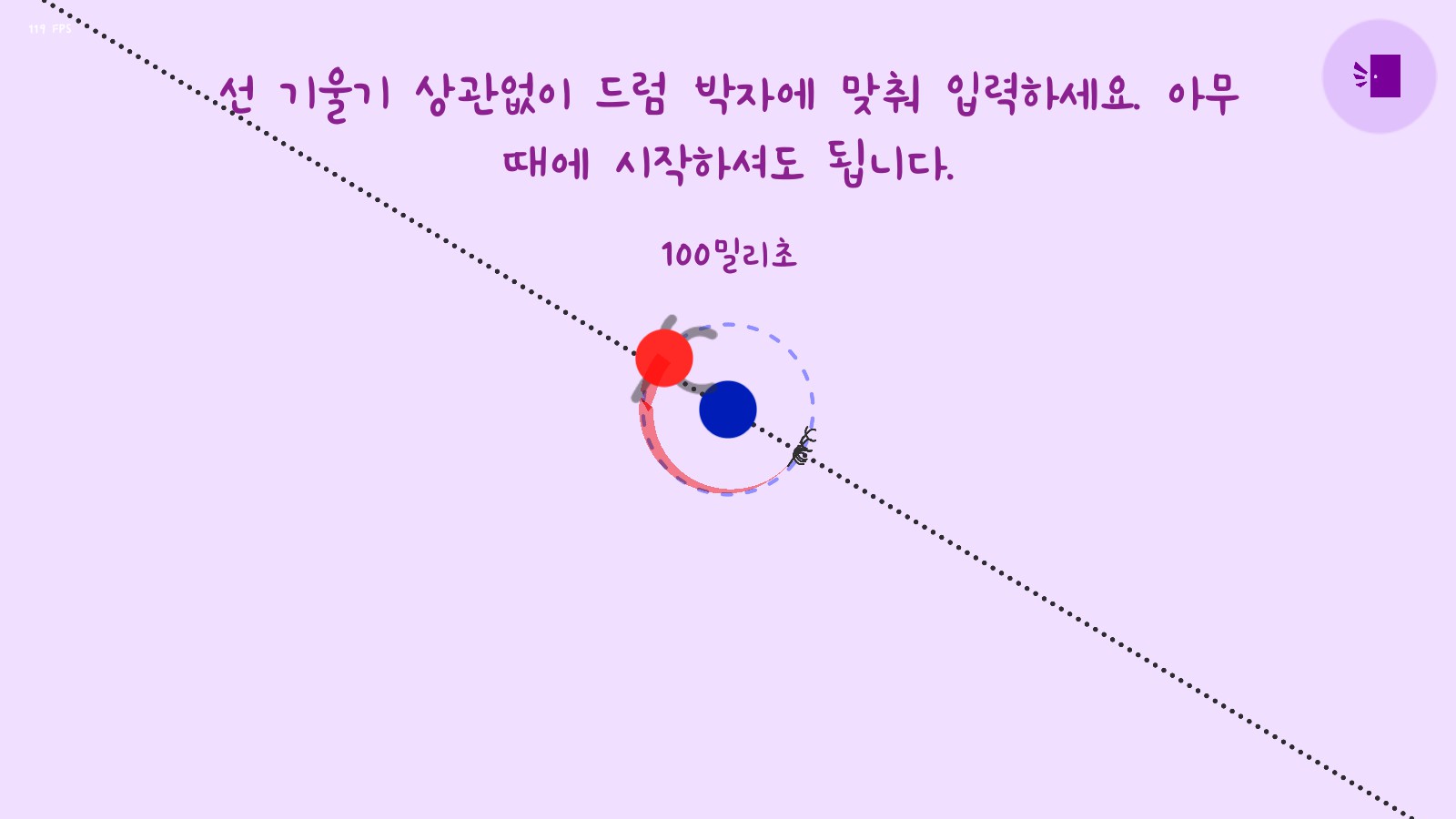
Calibration is a feature that allows the player to match the offset between the keyboard input and the in-game input handling. The calibration screen can be entered by entering the calibration portal at the bottom of the main island, or by pressing the C key while in the Settings screen. Pressing any button in the calibration menu causes the planets in the center to spin. To calibrate, press the input key based on the drum beat in the background. Once an input is made, a dotted line appears based on the input offset, which does not necessarily need to be matched to. However, this can serve as a distraction, so it is recommended to press based on audio with closed eyes.
After the calibration is finished, the game displays the player's skill level. The levels are D, C, B, A and S, and each level has a different flavor text.
5. Official content [편집]
5.1. Worlds [편집]
세트 레벨



엑스트라 레벨





Official levels are called Worlds, which can be found in Set 1, Set 2, the Xtra Island, Crown Island and Star Island. The following are short descriptions of each island.
- Set 2: Includes Worlds 7–12, which feature levels with harder rhythms and faster tempos than those of Set 1. 'Official levels' in a narrower sense include the 13 levels up to this point.
- Xtra Island: Includes Worlds XF–XS for a total of 9 worlds. This set includes harder levels with stronger visual effects and new patterns. Even so, these levels should not be too much of a problem for those who successfully completed all the previous levels.
- Crown Island: Includes worlds XO, XT and XI, which serve as the "boss levels" of the game. These levels are much harder than the previous worlds, and are unlocked by completing World B from Set 1[10]. Overall, these levels feature fast speeds and twisting rhythms that bring up their difficulty. In particular, World XI in the middle of the island has the highest difficulty out of all the current official levels, so it is recommended to try beating it after becoming sufficiently skilled at the game.
- Star Island: Includes World MN, ML and MO, added through a collaboration with the rhythm game Muse Dash. World MN is easy enough for those who played Set 2, but Worlds ML and MO are on the harder side. MO specifically has a difficulty that rivals those of the Crown Island levels above, so it is recommended to try beating it after becoming sufficiently skilled at the game.
5.1.1. Speed Trials [편집]
If a level is completed, the Speed Trial for the level is unlocked.
Speed Trials are challenge modes that modify the overall BPM of the level, and disable all checkpoints. They has a lower bound of 0.5×, and an upper bound of 2128×.
All official levels have an 'aim', which is usually between 1.2×–1.5×, depending on the level's difficulty. However, certain levels such as Worlds XT and XT have an aim of 0.9x, which is slower than the base level. In this case, the aim of the challenge is simple completing the level without checkpoints, due to its high difficulty.
Speed Trials can also be done with custom levels. The speed can be set directly in the level editor, or by modifying the speed using the left tab in the editor. Speed Trial options are also available in the Steam Workshop menu.
The following is a list of information regarding the Speed Trials of official levels.
Speed Trials are challenge modes that modify the overall BPM of the level, and disable all checkpoints. They has a lower bound of 0.5×, and an upper bound of 2128×.
All official levels have an 'aim', which is usually between 1.2×–1.5×, depending on the level's difficulty. However, certain levels such as Worlds XT and XT have an aim of 0.9x, which is slower than the base level. In this case, the aim of the challenge is simple completing the level without checkpoints, due to its high difficulty.
Speed Trials can also be done with custom levels. The speed can be set directly in the level editor, or by modifying the speed using the left tab in the editor. Speed Trial options are also available in the Steam Workshop menu.
The following is a list of information regarding the Speed Trials of official levels.
World | Aim | BPM at Aim |
1.5× | 225 | |
240 | ||
270 | ||
127.5 | ||
255 | ||
| 192.5 | |
- | - | |
| 208 | |
| 240 | |
| 182 | |
1.2× | 252 | |
231.6 | ||
192 | ||
| 249.6 | |
1.2× | 214.8 | |
264 | ||
1.3× | 143 | |
182 | ||
1.2× | 124.8 | |
132 | ||
| 163.8 | |
| 143 | |
| 164 | |
0.9× | 156.6 | |
144.2133 → 144.225 | ||
| 184.8 | |
| 214.5 | |
| 145 |
5.2. Achievements [편집]
Icon | Name | Description | Criteria | Notes |
Completion Rate[11] | ||||
  | World 1 Complete | Finish World 1 | Complete 1-X. | |
78.5% | ||||
 | World 2 Complete | Finish World 2 | Complete 2-X. | |
75.1% | ||||
 | World 3 Complete | Finish World 3 | Complete 3-X. | |
63.6% | ||||
 | World 4 Complete | Finish World 4 | Complete 4-X. | |
68.7% | ||||
 | World 5 Complete | Finish World 5 | Complete 5-X. | |
60.9% | ||||
 | World 6 Complete | Finish World 6 | Complete 6-X. | |
35.9% | ||||
 | World 1 Perfect | Get more than 100% accuracy on World 1 | Complete 1-X with more than 100% accuracy. | |
48.2% | ||||
 | World 2 Perfect | Get more than 100% accuracy on World 2 | Complete 2-X with more than 100% accuracy. | |
35.1% | ||||
 | World 3 Perfect | Get more than 100% accuracy on World 3 | Complete 3-X with more than 100% accuracy. | |
31.7% | ||||
 | World 4 Perfect | Get more than 100% accuracy on World 4 | Complete 4-X with more than 100% accuracy. | |
46.0% | ||||
 | World 5 Perfect | Get more than 100% accuracy on World 5 | Complete 5-X with more than 100% accuracy. | |
29.0% | ||||
 | World 6 Perfect | Get more than 100% accuracy on World 5 | Complete 6-X with more than 100% accuracy. | |
28.2% | ||||
 | World 1 Speed Trial Complete | Beat 1-X at 1.5x speed | Complete the 1-X Speed Trial. | |
15.7% | ||||
 | World 2 Speed Trial Complete | Beat 2-X at 1.5x speed | Complete the 2-X Speed Trial. | |
13.1% | ||||
 | World 3 Speed Trial Complete | Beat 3-X at 1.5x speed | Complete the 3-X Speed Trial. | |
10.1% | ||||
 | World 4 Speed Trial Complete | Beat 4-X at 1.5x speed | Complete the 4-X Speed Trial. | |
12.7% | ||||
 | World 5 Speed Trial Complete | Beat 5-X at 1.5x speed | Complete the 5-X Speed Trial. | |
9.7% | ||||
 | World 6 Speed Trial Complete | Beat 6-X at 1.1x speed | Complete the 6-X Speed Trial. | |
10.5% | ||||
 | Game 100% Complete | Congratulations! | (more info needed) | |
4.7% | ||||
 | Bonus Level Complete | Thank you for playing my game | Complete B-X. | |
5.3% | ||||
 | World 7 Complete | Finish World 7 | Complete 7-X. | |
28.2% | ||||
 | World 7 Perfect | Get more than 100% accuracy on World 7 | Complete 7-X with more than 100% accuracy. | |
13.6% | ||||
 | World 7 Speed Trial | Beat 7-X at 1.3x speed | Complete the 7-X Speed Trial. | |
5.5% | ||||
 | World 8 Complete | Finish World 8 | Complete 8-X. | |
20.3% | ||||
 | World 8 Perfect | Get more than 100% accuracy on World 8 | Complete 8-X with more than 100% accuracy. | |
13.7% | ||||
 | World 8 Speed Trial | Beat 8-X at 1.3x speed | Complete the 8-X Speed Trial. | |
3.8% | ||||
 | World 9 Complete | Finish World 9 | Complete 9-X. | |
23.0% | ||||
 | World 9 Perfect | Get more than 100% accuracy on World 9 | Complete 9-X with more than 100% accuracy. | |
16.8% | ||||
 | World 9 Speed Trial | Beat 9-X at 1.3x speed | Complete the 9-X Speed Trial. | |
4.9% | ||||
 | World 10 Complete | Finish World 10 | Complete 10-X. | |
16.6% | ||||
 | World 10 Perfect | Get more than 100% accuracy on World 10 | Complete 10-X with more than 100% accuracy. | |
10.7% | ||||
 | World 10 Speed Trial | Beat 10-X at 1.2x speed | Complete the 10-X Speed Trial. | |
3.9% | ||||
 | World 11 Complete | Finish World 11 | Complete 11-X. | |
15.6% | ||||
 | World 11 Perfect | Get more than 100% accuracy on World 11 | Complete 11-X with more than 100% accuracy. | |
12.8% | ||||
 | World 11 Speed Trial | Beat 11-X at 1.2x speed | Complete the 11-X Speed Trial. | |
3.6% | ||||
 | World 12 Complete | Finish World 12 | Complete 12-X. | |
13.5% | ||||
 | World 12 Perfect | Get more than 100% accuracy on World 12 | Complete 12-X with more than 100% accuracy. | |
8.8% | ||||
 | World 12 Speed Trial | Beat 12-X at 1.2x speed | Complete the 12-X Speed Trial. | |
4.1% | ||||
 | World T1 Complete | Finish World T1 of Neo Cosmos | Complete T1-X. | |
4.0% | ||||
 | World T2 Complete | Finish World T2 of Neo Cosmos | Complete T2-X. | |
3.7% | ||||
 | World T3 Complete | Finish World T3 of Neo Cosmos | Complete T3-X. | |
3.4% | ||||
 | World T4 Complete | Finish World T4 of Neo Cosmos | Complete T4-X. | |
3.0% | ||||
 | World T5 Complete | Finish World T5 of Neo Cosmos | Complete T5-X. | |
2.7% | ||||
 | EX Worlds Complete | Finish all EX Worlds of Neo Cosmos | Complete T1-EX through T4-EX. | |
| ||||
 | Muse Dash Worlds Complete | Finish all worlds of the Muse Dash Island (Excluding EMOMOMO) | Complete MN-X and ML-X. | |
5.0% | ||||
 | Xtra Worlds Complete | Finish all worlds of the Xtra Island | Complete XF-X through XS-X. | |
2.7% | ||||
 | Xtra Worlds Speed Trial | Beat all speed trial challenges of the Xtra Island | Complete the Speed Trials for XF-X through XS-X. | |
| ||||
5.3. Level Editor [편집]

 자세한 내용은 문서 참고하십시오.
The Level Editor is where users can create levels of their own.
5.4. DLCs [편집]
5.4.1. OST [편집]
A Dance of Fire and Ice Official Soundtrack | ||
 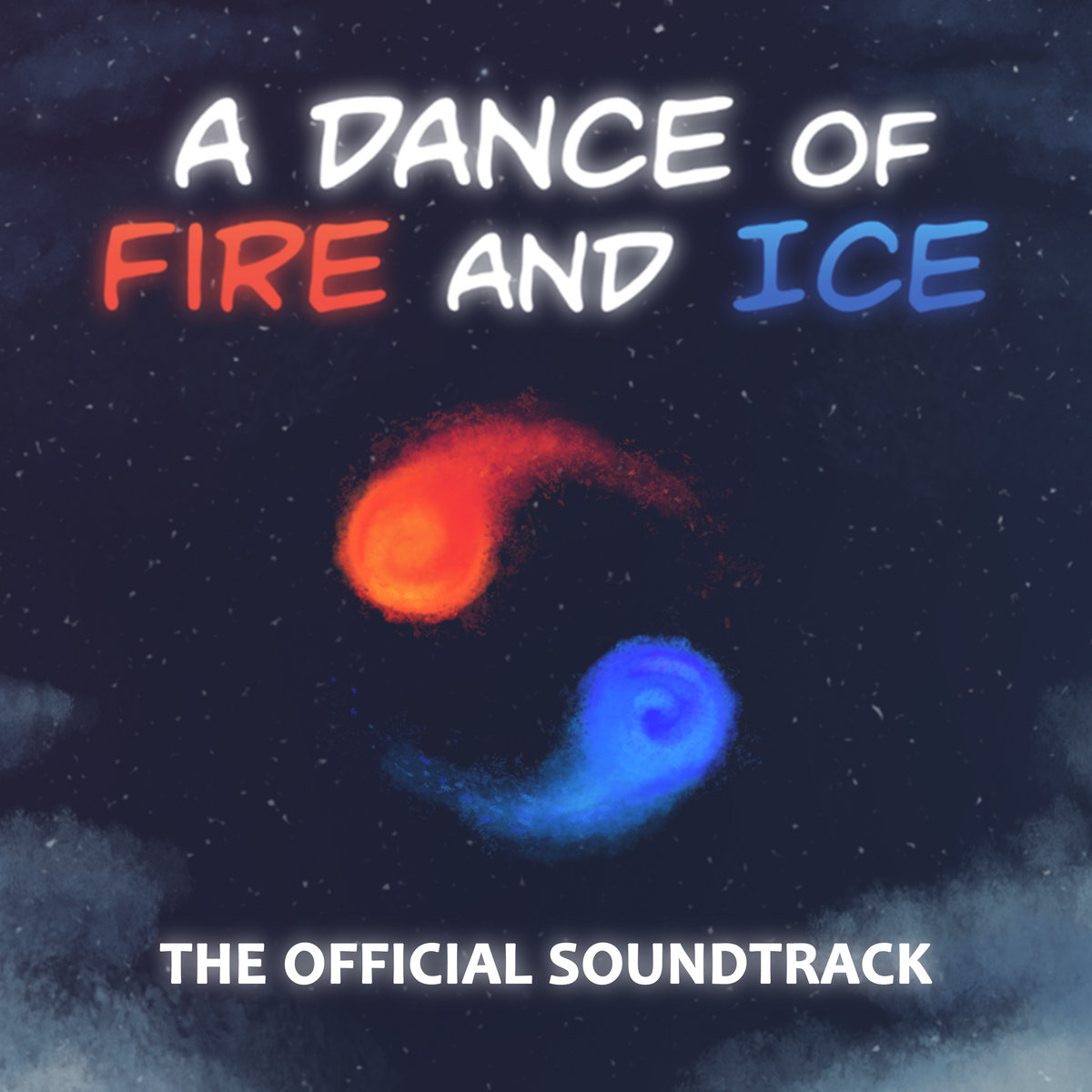 | ||
Release Date | February 7, 2019 | |
Price | $ 2.99 USD | |
Links |     | |
Track No. | Artist | Title |
01. | ||
02. | ||
03. | ||
04. | ||
05. | ||
06. | ||
07. | ||
08. | ||
09. | ||
10. | ||
11. | ||
12. | ||
13. | ||
14. | ||
15. | ||
16. | ||
17. | ||
18. | ||
19. | ||
20. | ||
21. | ||
5.4.1.1. Tracks not listed in the OST [편집]
The following tracks are licensed songs that 7th Beat Games does not have the full rights to.
5.4.2. Neo Cosmos [편집]


 자세한 내용은 문서 참고하십시오.
5.4.2.1. Neo Cosmos OST [편집]
5.4.3. EXiverse [편집]
자세한 내용은 문서 참고하십시오.EXiverse is an official level remix DLC created by 7th Beat Games in collaboration with a well-known level creation team, Team Vega. It is currently under development.
5.5. Featured Levels [편집]
자세한 내용은 문서 참고하십시오.User-created custom levels can be chosen by a curator and listed as a Featured Level.
Having a level be featured means that the level is officially included as part of the game, and is planned to be made playable on the mobile and Nintendo Switch versions.
6. Version history [편집]
7. Secret codes [편집]
Entering the following secret codes in the main menu triggers special effects, transporting the player to a specific level or world. They can also grant special planet colors or shapes. A yellow background indicates secret codes that can only be used if the Neo Cosmos DLC is purchased.
Secret Code | Effect |
TRANSRIGHTS | Turns the planets light blue and pink. |
NBRIGHTS | Turns the planets yellow and purple. |
IMACHEATER | Transports the player to Crown Island, regardless of whether World B has been completed. Does not work in the mobile version. |
QUREE[12] | Transports the player to World XO, regardless of whether World B has been completed. The player is transported to Crown Island if the level is completed or exited. |
STAR4TH[13] | Transports the player to World XO's Speed Trial, regardless of whether World B has been completed. |
The Konami Code [14] + Enter | Turns the planets rainbow-colored. The colors can be reverted using the color select menu at the bottom. On mobile, picking one planet and continously changing the color in the color select screen turns them rainbow-colored[15]. |
Ctrl(⌘) + Shift + D | Toggles the death sound effect. The autoplay toggle sound plays when activated. |
KABOOM | Exclusive to the Neo Cosmos DLC. Opens a Minesweeper minigame. The background music is composed by DM DOKURO. On the mobile version, the minigame can be entered by tapping and detonating the four mines in the Puzzle Rooms screen. |
SAMURAI | Changes the shapes of the planets to Samurai from Rhythm Doctor. Entering it again reverts to normal. |
THONK | Toggles emoji planets. |
APRILFOOLS | Toggles the special April Fools mode. |
ASYNCINPUTDEBUG | Toggles the async debug mode. |
BYEHUD | Toggles the in-game HUD (build version indicator text, etc.). |
8. Mobile version [편집]
9. Community content [편집]
9.1. Custom levels [편집]
자세한 내용은 문서 참고하십시오.9.1.1. Level packs [편집]
9.1.2. Steam Workshop [편집]
9.2. Unofficial forums [편집]
9.2.1. List of forums [편집]
- A forum created by 한가지 to organize and sort levels that they took part in. 한가지 is the sole moderator, and only levels they have participated in are listed.
- A forum that only lists classic levels.
- ADOFAI New Forum spreadsheet
- A forum created by 이린 based on the planned '10-key limit' feature. It was forgotten after the release of the 10-key limit was postponed, and was shut down after 이린 quit the game.
- ADOFAI Editor Forum
- A forum that aims to break away from the classic difficulty-centric forums, and instead focusing more on creating and tags. See here for more details.

9.3. Mods [편집]
자세한 내용은 문서 참고하십시오.10. Events [편집]
10.1. Level Of The Year [편집]
자세한 내용은 문서 참고하십시오.Level Of The Year is an annual awards show for A Dance of Fire and Ice custom levels at the end of each year.
10.2. Contests [편집]
11. People [편집]
12. Communities [편집]
자세한 내용은 문서 참고하십시오.13. Glossary [편집]
13.1. Slang [편집]
14. Reception [편집]
15. Controversies [편집]
- There have been claims that the copyright system is far from perfect. At times, levels that were previously deleted due to copyright issues can be seen on the Most Popular tab in the Steam Workshop page.
15.1. Controversies within the community [편집]
16. Trivia [편집]
- In official levels, upon reaching the 95% mark, Overloads no longer fail the level. Thus, it is possible to start spamming inputs once reaching the 95% mark and complete the level. However, this causes the accuracy to tank significantly.
17. Related articles [편집]
[1] Steam Workshop content is not available for the itch.io version of the game. However, a free browser demo is also available on the page.[2] World 1, World 2 and World 3[3] World 4, World 5, World 6 and World B[4] World XF and World XO[5] excluding certain special keys, e.g., Alt[6] However, having 0 Misses and Overloads even with No Fail Mode still counts as a clear.[7] In older versions, obtaining this rank plays a remix of the calibration music. In newer versions, this was replaced with applause, as is the case with S. Leaving the calibration screen or waiting it out causes the music to stop.[8] As the highest level, obtaining an S results in applause. The applause stops when leaving the calibration screen.[9] Excluding World B, which may be too difficult for beginners who have only completed Set 1 to beat.[10] They can also be accessed by entering a specific code even before World B is completed, but it is recommended to complete World B first.[11] As of November 15, 2024[12] The artist for the song of World XO[13] The level creator of World XO[14] ↑ ↑ ↓ ↓ ← → ← → B A[15] Alternatively, spin the planet around in the color select screen[16] Prior to (version number), the default font was Same Mistake.[17] After switching to godoMaum, the base font was used as is at first, but due to repeated confusion between the number 1 and the capital letter I, the shape of the 1 was modified
모든 문서는 CC BY-NC-SA 4.0에 따라 사용할 수 있습니다.